Can multiple people manage the gallery dashboard?
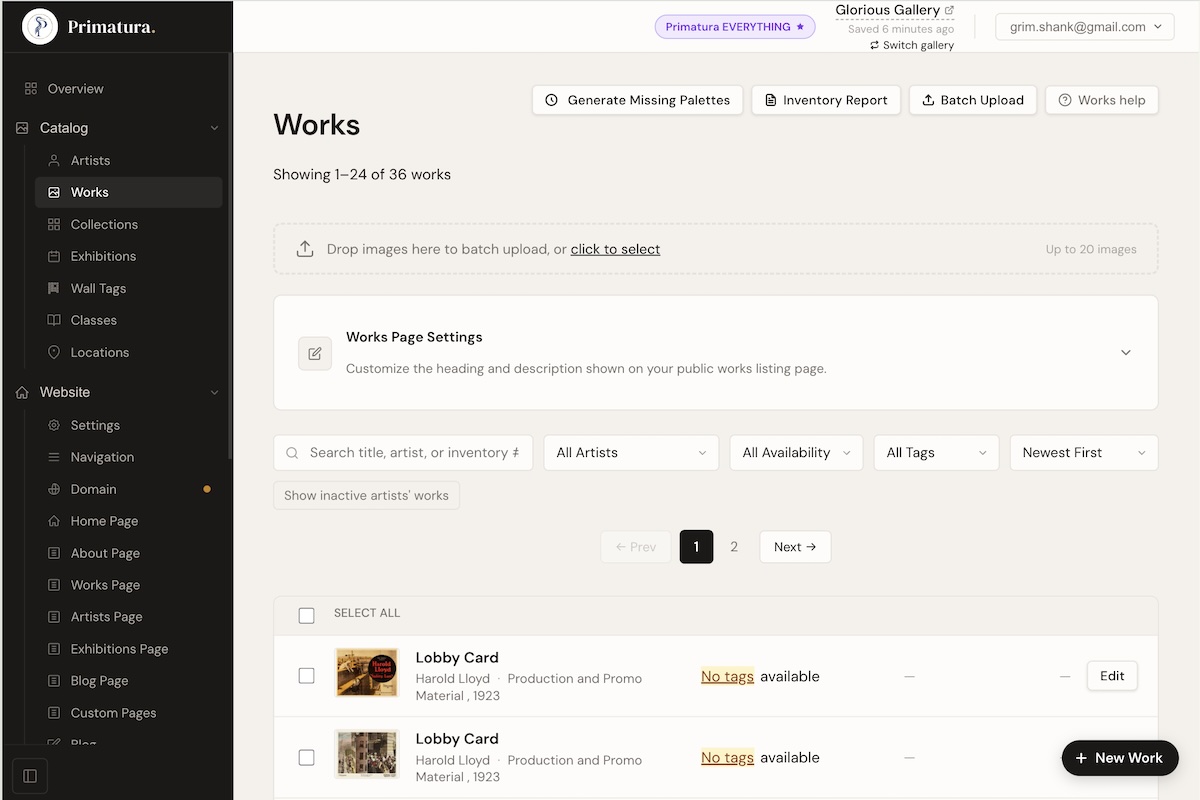
Yes. Primatura supports team members with three role levels. Owners have full access including billing, settings, and financial reports. Editors can manage the catalog, content, and fulfill orders, but can't touch owner-only settings. Viewers can browse the dashboard and generate artwork tags for wall labeling, without the ability to make changes. It's designed for the realities of cooperative galleries and multi-person teams.
Is this designed for cooperative galleries?
Yes, and not as an afterthought. Primatura was built by a partner in a cooperative art gallery. Wall space tracking per artist, per-artist inventory limits, shared exhibitions, and individual artist profiles are core features. If you run a co-op, this platform was designed with your exact situation in mind.
What does the Square POS integration actually do?
When a work sells at the gallery through your Square terminal, Primatura automatically marks it as sold on your website, including updating availability, removing it from the "available works" view, and logging the sale in your order history. No manual updating, no lag. Your website reflects your gallery floor in real time.
What AI features does Primatura include?
Several. AI artwork entry automatically generates tags, metadata, and descriptions from a photo, turning minutes of data entry into seconds. Need help with an artist bio? AI can draft one from a short prompt. The AI recommendation engine surfaces personalized "you might also like" works for every visitor in real time. AI-powered email marketing campaigns write themselves, and AI business insights analyze your entire platform and surface actionable observations about growth, retention, and performance. Every AI feature is included at no extra charge.
How does the Facebook and Instagram integration work?
Connect your gallery's Facebook Page and Instagram Business account once from your dashboard settings, then pick the day and time you'd like Primatura to post. Each cycle Primatura selects a work that hasn't been posted before, drafts a caption with AI tuned to your gallery's voice, and publishes to both platforms, or saves it as a draft for you to review and approve first. Works flagged as "Sensitive Content" are automatically excluded. You can disconnect at any time, and you can post a specific work on demand from its detail page. The integration is included at no extra charge.
How does invoicing work?
Primatura supports two invoice types. Post-sale invoices are generated automatically when a sale is recorded through Stripe or Square. The buyer receives a branded PDF by email immediately. Proforma invoices let you hold works for a collector before payment: select the works, send the invoice, and they're marked Reserved until you confirm payment has been received. At that point the works flip to Sold and the collector gets a confirmation. If a proforma invoice expires unpaid, the works are automatically returned to available inventory.
What is "View in a Room" and how does it work?
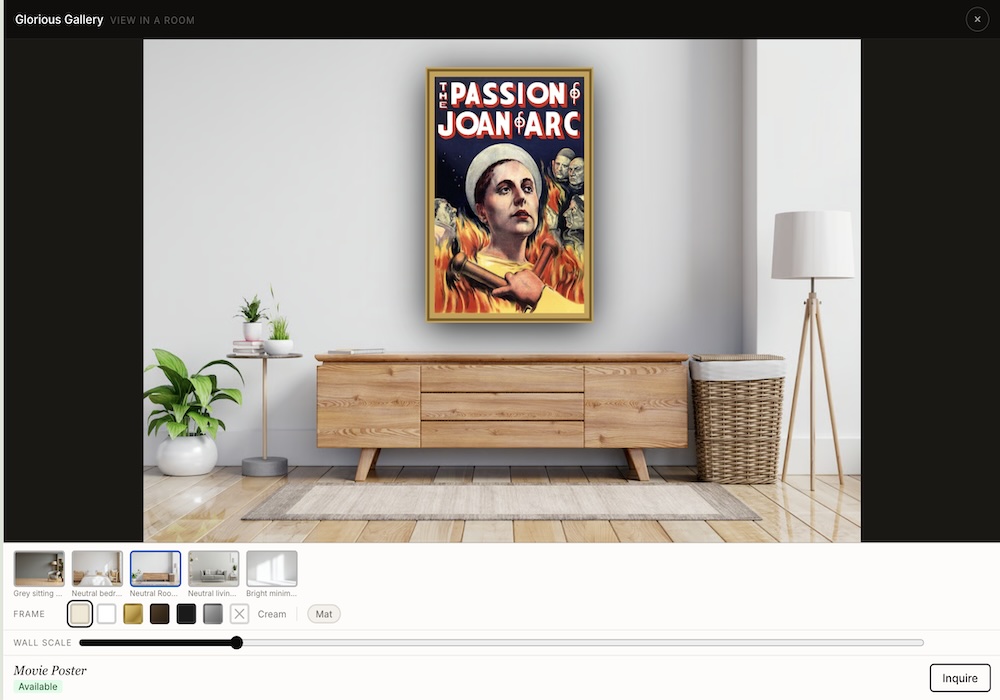
View in a Room places any artwork on your site into a photorealistic interior scene, scaled to the work's actual dimensions. When a collector clicks it on a work's detail page, they see the piece hanging in a living room setting, which makes sizing and fit immediately tangible. It requires no setup from you; Primatura handles it automatically for every work using its listed dimensions.
What is "See It on Your Wall"?
It's an augmented-reality preview. A collector taps the button on a work's page, points their iPhone or Android phone at their own wall, and sees the piece hanging there at its exact physical size. There's no app to install — it uses the AR viewer built into the phone — and Primatura generates the 3D model for every work automatically from its photo and dimensions. QR wall labels work with it too: a visitor standing in your gallery can scan a label and take the piece home on their phone.
What are private viewing rooms?
A private viewing room is a curated page you assemble for a specific collector: selected works, your notes, and a personal introduction, shared by private link and never listed on your public site. You can invite recipients by email, and Primatura shows you who opened the room and which works they spent time with, so you know exactly when and how to follow up.
Can Primatura generate certificates of authenticity and other gallery documents?
Yes. From any work you can generate a branded certificate of authenticity carrying a QR code that verifies the certificate on your own gallery's website, so a collector — or a future buyer — can always confirm it's genuine. The documents suite also produces one-page tear sheets, multi-work artist portfolios, and consignment reports, all as print-ready PDFs.
Can I import my existing inventory from another platform?
Yes. The import wizard reads an Artwork Archive export directly, joins ArtLogic exports to their photo files automatically, and can even rebuild your catalog from a FASO site. Works, artists, prices, dimensions, and images come across in one guided pass — most galleries migrate in an afternoon.
Can I check on my gallery by text message?
Yes. Primatura includes a conversational text-message assistant for gallery members. Send it a plain-language question — a sales summary for the week, the current value of available inventory, which works are drawing the most interest, or which collectors are most engaged right now — and it reads your live data and texts a real answer back in seconds. It can also email you a formatted inventory report or QR wall-label sheet on request. It only ever answers about your own gallery. The assistant is rolling out to galleries; your Primatura contact enables it for your account and confirms the number to text.
How much control do I have over my gallery's website design?
Full control, without needing a developer. Primatura's custom page editor lets you build and rearrange pages using a drag-and-drop interface. Add text sections, image blocks, work grids, artist spotlights, and more. You're not locked into a single layout or theme. Your site looks the way you want it to look, and you can update it any time from the dashboard.
Do I need technical skills to use Primatura?
No. The dashboard is designed for gallery owners and artists, not developers. If you can fill out a form and upload an image, you can run your entire gallery website on Primatura.
What happens after the 60-day trial?
If you've added a payment method, you'll be charged automatically at the end of your 60-day trial. If you haven't added one yet, you'll receive a reminder before your trial ends, and your site will be paused rather than deleted, so you can reactivate any time. You can cancel before the trial ends and you won't be charged at all.
Does Primatura take a cut of my sales?
Almost nothing. Primatura takes a 1% transaction fee on every sale made through your gallery site: originals and print-on-demand prints alike. Stripe's standard processing fees also apply (typically 2.9% + 30¢). That's it: no hidden fees, no monthly revenue caps.
Can I use my own domain name?
Yes. Every gallery gets a free address at yourgallery.primatura.com from day one. You can also connect your own custom domain. Just purchase it from any registrar (GoDaddy, Namecheap, Squarespace, etc.) and point it to Primatura. Setup takes about five minutes, no technical expertise required.
Can I cancel my subscription?
Yes, at any time. Your gallery site stays live until the end of your current billing period. We don't lock you in or make cancellation difficult.